In the early 2020s, as generative image AI spread, the prevailing approach was to craft "magic spells": text instructions, or prompts, that might produce a beautiful image.
From 2025 into 2026, however, what professional production settings demanded changed dramatically. Rather than waiting for a single image to work by chance, creators wanted to preserve an intended composition while revising the details as many times as necessary.
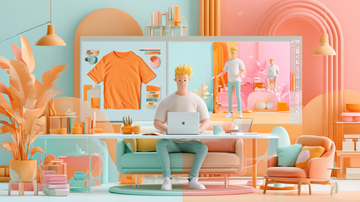
The center of gravity has shifted toward workflows built around this kind of control and refinement. At the heart of that movement is Dzine, an AI design tool that brings image generation, photo correction, and video creation together on one screen.
From “Crafting Spells” to Refining the Work
Dzine was originally known as Stylar AI. Renamed Dzine in 2024, it subsequently added features such as video generation and lip sync, which synchronizes mouth movement with audio, and rapidly expanded its user base.
Its development concept is "control first." Photoshop is powerful but difficult to operate, while Canva is easy to use but has limits when it comes to detailed refinement. Dzine aims to fill the space between them.
It is based on the view that correcting and reusing an image after generation is where the real work lies. Instead of "starting again from zero," its defining focus is on "fixing only the parts that need it."
“Structure Reference” Turns a Rough Drawing into a Blueprint
One feature that symbolizes Dzine is Structure-to-Image. Upload a rough sketch as simple as a stick figure drawn on paper, and the tool treats its outline as a constraint that cannot move, adding only texture and lighting while preserving the lines.
Without spending hours adjusting long spells such as "high definition, 8K," you can obtain a detailed result that keeps your intended composition. In effect, control over the layout returns from the AI to the person creating the image.
Edit Images in Natural Language with the “AI Chat Editor”
Select part of an image and give an ordinary-language instruction such as, "Change this sofa to Italian leather and add reflected sunlight from the left." The tool redraws only that area while accounting for the surrounding shadows, reflections, and direction of light. Its strength is that it understands the layer structure and blends the edit into the image rather than simply painting over it.
It can also remove unwanted watermarks or replace only the text within an image without disrupting the design. Compared with masking by hand, it makes repeated rounds of correction considerably lighter.
“Character Consistency” Preserves the Same Face Across Scenes
In stories, comics, and video advertising, depicting the same character with the same face from different angles and in different scenes has long been a difficult problem. With many AI tools, trying to preserve consistency causes the face to distort until it looks like a different person.
Dzine's Character Reference does more than copy colors and hairstyles: it captures and recreates the three-dimensional geometry of a face. Register multiple images, such as front and profile views, and it can depict the same person even in entirely different situations. This feature becomes valuable for serialized content and advertising campaigns.
Vector Output Enlarges Logos Without Degradation
A weakness of AI-generated logos and lettering has been that they blur, or pixelate, when enlarged. In addition to logo generation using FLUX-family image models, Dzine includes a vector conversion feature.
Generated or uploaded images can be converted within minutes into vector formats such as SVG that do not degrade when enlarged, enabling uses ranging from print and the web to CAD. There are growing numbers of situations in which it can take the place of dedicated software such as Illustrator.
Video Lip Sync for Multiple People Speaking at Once
A major strength of Dzine is AI-powered video generation and lip sync. Upload an audio file and connect it with a person in an image or video, and it creates footage whose mouth movements match the sound. An uncommon advantage is its ability to have several people speak simultaneously in the same frame. If an expression is not what you intended, Face Kit's expression editor lets you adjust only the expression or direction of the face in a registered image afterward.
This is efficient because it avoids spending credits on starting over. Specify the first and last frames and enter a prompt such as "a girl walking through a rainy cyberpunk city, slow motion," and the tool automatically fills in the movement between them. It can also upscale old, low-resolution clips.
For dramatic effects, users have established a useful technique: instead of packing a long instruction into a single prompt, layer short prompts focused on physical phenomena, such as "violent shaking and clouds of dust" or "small fragments scattering."
How It Differs from Canva, Midjourney, and Photoshop
From 2025 into 2026, design tools entered an era of "AI surcharges." Canva successively acquired Affinity and Leonardo.AI and turned toward becoming an AI-first platform.
In the process, its Teams plan increased in price by as much as 300 percent, prompting a backlash from professional users. If Canva is an automated vending machine for templates and individual pages, Dzine is closer to an unconstrained "infinite canvas," well suited to arranging and comparing dozens of logo concepts.
Midjourney, meanwhile, remains among the best in the world at producing a single "cool image," but it struggles to correct only one part after generation. Photoshop can do almost anything at the pixel level but has a steep learning curve. Dzine fills the gap by responding to the reality that production is less about one-off generation than persistent revision.
Where It Fits in E-Commerce, YouTube, and Game Production
In online retail, it can place products against premium-looking backgrounds and depict even natural shadows falling on the ground, allowing teams to mass-produce sales visuals while reducing studio photography costs.
For individual creators, it functions as a "content factory" capable of making social-media images in tens of seconds. There are also examples of successful uses for faceless channels and for turning text stories into animated content for distribution.
Create scenes featuring the same person with the character-consistency feature, turn them into video, and apply lip sync, and the tool can complete a video through one connected workflow.
For game development and educational materials, style transfer is valued for consistently applying styles such as watercolor, 3D, and digital painting across large numbers of assets.
How Pricing and Credits Work
Dzine combines a monthly subscription with credit consumption. The free plan grants 100 credits at registration and a small number each day, but users should be aware that exported images carry a watermark and generated work is set to public.
The entry plan, priced at $8.99 per month, removes the watermark and supplies 900 image credits each month. Mid-tier plans include both image and video use and credit rollover, while upper-tier plans make image credits effectively unlimited and substantially increase video credits and storage.
Because regeneration and upscaling each consume credits, the rate of use depends on the user's proficiency. A standard way to conserve credits is to experiment at low resolution, then finish at high resolution once the composition has been settled.
Conversely, if image generation, video editing, upscaling, and vector conversion can all be consolidated in one tool, the total cost can be lower than maintaining several separate subscriptions. For work that requires confidentiality, private generation on a paid plan is useful.