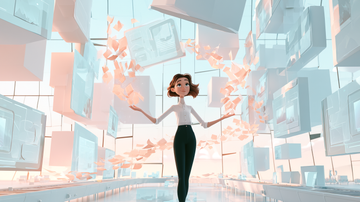
Does Your Video Look Flat? Solve It with 3D Space!

Have you ever worked in After Effects (Ae) and wished your video had more depth or a more three-dimensional look? Working only in 2D space can make images feel flat. Dynamic camera movement in 3D space offers a solution. This feature can quickly transform your footage into a professional-looking work with a sense of depth.
Take Control of the Camera: Simple Ways to Create Dynamic Movement

In Ae’s 3D space, you can move the camera freely to create effects that resemble real-world shooting. The key to smooth camera movement is using a virtual controller called a null object. This lets you adjust the camera’s position smoothly and control focus with depth of field (DOF). DOF adds a more professional impression and brings dramatic effects to a scene.
The Secret to Creating Scenes with Depth

When you want to make a more memorable scene, combining camera movement with 3D objects is especially powerful. Moving the camera between objects, for example, can produce a scene with strong visual impact. This is a highly effective way to make the most of attention-grabbing effects in advertising videos and introductory movies. It may look difficult, but After Effects 25.0, released in October 2024, makes importing and managing 3D models even easier, allowing work to proceed more smoothly.
A Shortcut to Professional-Looking Video: The Final 3D Camera Technique

The combination of camera movement and perspective is key to a professional finish. As the camera moves through space, objects change dynamically in apparent size and position, increasing visual depth. This technique makes it easy to create footage that draws viewers in. After Effects 25.0, released in October 2024, also improves visual organization in the Project panel, making workflows even more efficient. Use this new feature to take your video production a step further.
Related Articles to Read Next
The following articles and categories also explore related topics in greater detail. Start with the areas you need to make it easier to connect your understanding of planning, shooting, editing, and AI use.
- AI Video Production
- Editing Techniques to Improve Video Quality
- The Evolution of Video Editing
- Designing a Video Production Process
Need Help with Video Production?
Lead readers toward consultations on video effects and advertising video editing using After Effects. For specific advice on planning, shooting, editing, or using AI, please feel free to reach out through our contact page.
Get Information on Video Production and AI
Provide a way to receive information on editing techniques, AI video production, and video production workflows. We also share the latest video production know-how and AI video tips through our newsletter.